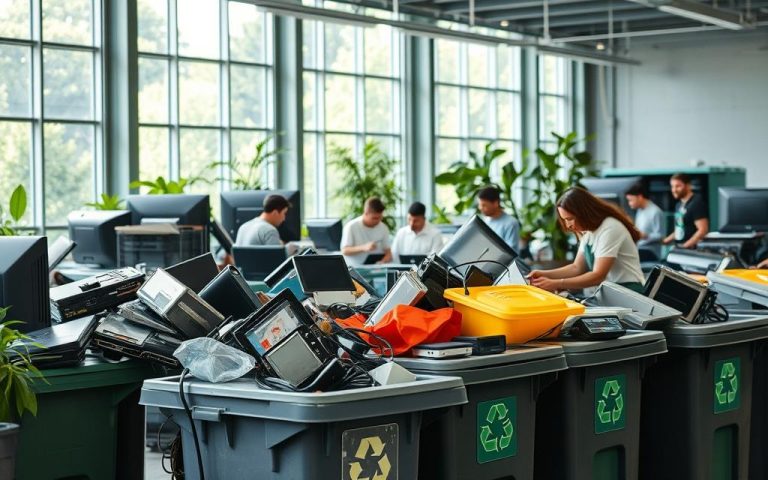
Retired workplace technology can expose sensitive information or become avoidable waste if it is not handled deliberately, making IT equipment recycling a business priority. IT asset disposition (ITAD) is the managed process of auditing retired technology and routing it for reuse, resale, or recycling. During a business refresh, a planned route can protect data, support responsible processing, and recover useful materials.
Global electronic waste reached 62 million tons in 2022 and was expected to reach 82 million tons by 2030. Only two out of every 10 electronic-waste items are properly recycled and processed correctly. Recycling can recover aluminum, cobalt, copper, gold, and palladium for reuse.
A written disposition plan helps keep data protection and responsible processing in view from the start.
Confirm the recycler’s accepted items and capabilities.
Keep records of data handling and final disposition.
Prepare lithium-ion batteries separately for safe collection.
How Does IT Equipment Recycling Work for Businesses?
IT equipment recycling moves through four decisions: inventory, controlled collection, value assessment, and documented final disposition. A clear chain-of-custody record shows where equipment goes from pickup through processing.
Record each asset identifier and its intended route before collection. Pickup workflows can track drives by serial number, with itemized reports and certificates of destruction available under some service arrangements.
Record each asset identifier and its intended route before collection.
Inventory and Collection
A business recycling job usually starts with an inventory, not a truck arriving at the door. List device types and approximate quantities, including computers, monitors, servers, drives, and accessories.
Then agree on collection timing, packaging, and chain-of-custody procedures with the electronics recycler. Quantities, location, device condition, and service scope help the provider prepare a pickup quote. A large load across several sites may need a different plan from a few laptops at one office.
Inventory device types and approximate quantities.
Agree on collection and chain-of-custody procedures.
Decide whether usable equipment can be reused or remarketed.
Document recycling or other final disposition.
Reuse, Resale, and Material Recovery
ITAD includes auditing retired assets and routing them for reuse, resale, recycling, or disposal. Usable equipment may be tested and prepared for remarketing, while end-of-life devices can be directed to e-waste recycling.
Computer recycling services may separate components for material recovery when resale is not practical. Ask for itemized reporting that matches the inventory, especially when drives carry business information. Keep the report with your asset disposition records.
Record asset identifiers and the agreed disposition for each device before collection.
How Should You Protect Data Before Recycling a Computer?
You usually do not need to destroy the whole computer, but you do need a deliberate plan for every storage device. Use logical data sanitization for equipment that may be reused, and choose shredding when media cannot be reliably sanitized or policy requires it.
Identify every hard drive and SSD, then get written evidence of completed work. Confirm whether secure data destruction happens on-site or off-site, and make sure the documentation identifies the affected devices.
Use Logical Sanitization for Reusable Devices
Logical data sanitization uses software-based methods to make stored information inaccessible. If a computer may be reused, this route can protect data while leaving the device available for resale or another user.
NIST Special Publication 800-88 provides guidance for media sanitization. R2v3 Appendix B covers data sanitization and enhanced data-destruction processes. Some Appendix B facilities can track destruction to an individual device’s serial number.
Do not assume a recycler will erase a device as part of standard service. Erase it yourself or confirm the specific service and documentation directly. A Best Buy recycling drop-off should not be treated as a data-wiping service unless the store confirms that service directly.
Choose Physical Destruction When Needed
Physical media destruction, or shredding, is appropriate when the storage media cannot be reliably sanitized or your policy requires destruction. It is generally not necessary to destroy the entire computer. Ask whether the service covers only drives or other storage media as well.
R2v3 Appendix C covers testing and repair, and facilities under Appendix C must have logical data-sanitization capability under Appendix B. These appendices describe different capabilities, not a promise that every device receives the same service. Match the chosen method to your security needs and the device’s likely reuse.
Before releasing equipment, confirm which drives were sanitized or physically destroyed and how that work will be documented.
What Makes an Electronics Recycler Compliant and Secure?
A responsible recycler should explain what happens to each asset and show how its handling is documented. Look for relevant capabilities, not just a general claim of compliance.
Check the facility’s certification scope and the rules that apply to your specific equipment. U.S. electronics-disposal rules are not identical in every state, and a certification does not replace your own waste review.
Check Certifications, Capabilities, and Documentation
The EPA’s certified-electronics-recycler page was last updated July 31, 2026. Ask which facility will handle your equipment and what its certification covers. R2v3 appendices describe distinct capabilities rather than interchangeable guarantees.
Use this four-point checklist when assessing a potential electronics recycling partner:
Confirm relevant certification and facility scope.
Ask how assets and downstream destinations are tracked.
Request recycling and data-destruction records.
Check state and local rules for specific equipment and battery types.
Appendix B covers data sanitization and enhanced data destruction. Appendix C covers testing and repair, with a logical sanitization capability requirement under Appendix B. Appendix D recognizes facilities able to manage specialty electronics, including telecom, medical, and scientific equipment, for reuse.
Account for Waste Rules and Specialty Equipment
R2-certified facilities with Appendix E cover in-house materials recovery, which may suit businesses with high electronics volumes and little equipment worth remarketing. Specialty equipment may need a facility with the right reuse or processing capability.
The Resource Conservation and Recovery Act, enacted in 1976, empowers the EPA to regulate hazardous and nonhazardous waste. The EPA recommends that businesses consider managing lithium-ion batteries under federal universal-waste regulations in 40 CFR Part 273. Commercial establishments must determine whether discarded batteries are hazardous waste.
New York’s Electronic Equipment Recycling and Reuse Act covers specified electronics. It excludes many other categories, including most household appliances, digital cameras, radios, GPS devices, medical equipment, and batteries. That state-specific list is not a nationwide definition of e-waste.
Have your compliance or environmental lead determine whether discarded batteries meet hazardous-waste rules before choosing a management route.
Which Devices Can You Recycle Through Common Programs?
Specialist recyclers may take servers, drives, laptops, and network gear, while store programs accept a narrower set of electronics. Check the exact category before bringing equipment to a recycling site.
Best Buy’s in-store recycling program serves residents, not businesses or organizations. Most stores accept up to 10 recycling items per household per day, with different limits for some categories.
Computer and IT Equipment Accepted by Specialist Recyclers
Specialist computer recycling providers may accept desktops, laptops and laptop batteries, servers, network equipment, hard drives, RAM, peripherals, cables, power supplies, tablets, cell phones, and flat-panel monitors.
Acceptance differs by recycler. RecycleIT, for example, excludes TVs, CRT monitors, standalone batteries not from computers, appliances, lamps, bulbs, smoke detectors, and stereo speakers. Ask for an accepted-items list that names your equipment, rather than relying on a general claim about electronic recycling.
Best Buy Limits, Fees, and Exclusions
Best Buy lists desktops, all-in-one computers, hard drives, laptops, and netbooks among its free in-store recycling items. The table shows its stated household limits and monitor charges.
Item category
Best Buy daily limit
In-store charge
Desktops, all-in-ones, and hard drives
Three related items per household per day, within the computer-product limit
Free
Laptops and netbooks
Five per household per day
Free
Monitors 50 inches and smaller
No more than two per household per day, within the three-item computer-product limit
$29.99 each; Insignia and Dynex monitors are free
For computers and related products, Best Buy limits free in-store recycling to three items per household per day, including no more than two monitors. The laptop and netbook limit is five per household per day. These category limits apply alongside the usual 10-item household daily cap.
Best Buy’s store program excludes standalone batteries and office furniture. Stores also exclude items that present a health or safety hazard. The program accepts VCRs, but not VHS tapes, so a VCR does not make its tapes eligible.
Intact VHS cassettes generally cannot go in standard curbside recycling. Their mixed materials need specialized handling, and magnetic tape can tangle sorting machinery. GreenDisk and TerraCycle offer paid mail-in recycling options for VHS tapes.
Keep VHS tapes out of curbside bins and choose a service that specifically handles obsolete media.
How Can You Arrange a Pickup or Find a Local Drop-Off?
Choose pickup for a large or hard-to-move business load, and use a drop-off when the site accepts your equipment and you can transport it safely. Pickup and drop-off terms depend on the service and the items involved.
Keep lithium-ion batteries and devices containing them out of household garbage and municipal recycling bins. Put each battery or device in a separate plastic bag, and cover battery terminals with nonconductive tape, such as electrical tape.
Keep lithium-ion batteries out of household trash and municipal recycling, and protect terminals with nonconductive tape.
Confirm that the receiving site accepts your equipment before you travel. Computer recycling near you may mean a municipal program, household hazardous-waste site, or local recycler. Check accepted device categories and hours first.
When Pickup Makes Sense
A pickup can suit a large office load, several business locations, or equipment that is difficult to move. A free pickup quote is not the same as a free pickup; ask what the service costs and covers.
RecycleIT’s center is at 138 Main Street, Nanuet, New York. It offers free in-store computer recycling and data destruction. Its pickup service covers businesses and residents in Rockland, Westchester, Bergen, and surrounding counties, with a pickup quote available.
Best Buy’s standalone haul-away service costs $199.99 and removes up to two large products, including TVs, plus an unlimited number of select smaller products. When Best Buy delivers a replacement TV, hauling away an old TV costs $49.99.
Local Drop-Offs and Battery Preparation
Free electronics recycling in Portland is available for accepted electronics at Metro Central, 6161 NW 61st Ave., Portland, Oregon 97210. Its public hours are 8 a.m. to 5 p.m. daily.
Local government programs and retailers may offer free electronics recycling, but accepted categories and household limits differ. A nearby program may accept laptops and cell phones while excluding other electronic equipment. Lithium-ion batteries can be damaged or crushed in household waste, creating a fire hazard.
Electronics with lithium-ion batteries may go to certified electronics recyclers that accept batteries, participating take-back retailers or recyclers, or local solid-waste and household hazardous-waste programs.
Route
What it handles
Stated cost or terms
RecycleIT in-store computer recycling
Computer equipment and data destruction
Free at 138 Main Street, Nanuet
Metro Central electronics drop-off
Accepted electronics
Free; open 8 a.m. to 5 p.m. daily
Best Buy standalone haul-away
Up to two large products, including TVs, plus select smaller products
$199.99; unlimited select smaller products
Call the receiving site before you go, especially when the load includes batteries or unusual equipment.
Conclusion
A good end-of-life decision protects both the information on your devices and the materials they contain. Choose a route that matches the equipment, documents data handling, and makes final disposition clear.
Your next step is practical: prepare an inventory of device types, approximate quantities, and locations. Use it to request a pickup quote or confirm a suitable drop-off. Include storage devices in the count, and note specialty equipment or batteries that may need a separate route.
Make an asset inventory and confirm the recycler’s accepted items and documentation before scheduling collection.
FAQ
How to dispose of IT equipment?
Inventory the devices, protect stored data, and use a qualified electronics recycler or an accepted take-back route. Separate equipment that may be reused from items ready for recycling. Confirm what the service handles, then retain the chain-of-custody record and final disposition report. These records help your business show where equipment went and how data was handled.
How do I dispose of old computer equipment?
Use a specialist recycler or an accepted local collection program, and confirm device acceptance and data handling before drop-off. List computers, drives, monitors, and accessories separately because a site may accept some categories but exclude others. Remove or sanitize storage media according to your policy, and keep any written record of recycling or destruction with your asset records.
Does Best Buy recycle old electronic equipment?
Yes, Best Buy accepts selected computer products for residents, with category-specific daily limits; its store program is not for businesses. Accepted computer products include desktops, all-in-one computers, hard drives, laptops, and netbooks. Most stores use a 10-item household daily cap, with separate limits for some categories. Charges apply to certain monitors, and standalone batteries are excluded.
What can you do with old electronic devices instead of throwing them away?
Consider reuse, donation, or remarketing for usable devices after data sanitization, and responsible recycling for end-of-life items. A working laptop may serve another user if its information is securely removed first. A recycler can assess equipment that is no longer useful and route it for materials recovery. Keep a record of the device’s final route either way.
Should I destroy my computer before recycling?
Usually, no; sanitize storage or use a documented destruction service for drives that cannot be reliably erased or must be physically destroyed. Destroying an entire computer is generally unnecessary. Identify every hard drive and SSD, then confirm whether the chosen service handles the work on-site or off-site. Keep written evidence showing which storage devices were sanitized or destroyed.
What electronics cannot be recycled?
Acceptance depends on the program; Best Buy excludes standalone batteries and office furniture, while specialist recyclers set their own exclusions. A specialist may accept servers or network equipment but reject TVs, CRT monitors, or other items. Check the exact item list before arranging transport. For batteries, confirm an appropriate separate collection route rather than putting them in household trash.
What are three items that cannot be recycled?
There is no universal list, but Best Buy’s store program excludes standalone batteries, office furniture, and VHS tapes. Other recyclers may accept some items or exclude different categories. The rule depends on the specific program, not simply whether an object is electronic. Confirm each item against the receiving site’s current accepted-items list before packing it.
Will Best Buy wipe my computer before recycling?
Do not assume Best Buy will wipe your computer; erase the device yourself or confirm data-wiping arrangements directly before handing it over. Store recycling is not a data-wiping service unless the store specifically confirms that service. Identify any internal drives and other storage media first. If your business needs documented sanitization or destruction, use a service that provides written evidence of completion.
Should I throw away old VHS tapes?
No, do not put intact VHS tapes in standard curbside recycling; specialized paid mail-in options include GreenDisk and TerraCycle. Mixed cassette materials require specialized handling, and magnetic tape can tangle sorting machinery. Best Buy accepts VCRs for in-store recycling but does not accept VHS tapes. Keep the tapes separate and choose a service that specifically handles obsolete media.
UK homes are cluttered with 18.2 million kitchen gadgets. Responsible electronic waste disposal is now vital. Currys offers a programme to simplify recycling old electrical appliances like microwaves. The Currys recycling scheme provides an eco-friendly solution for households. It helps people recycle microwave ovens and other kitchen electronics. This initiative reduces environmental impact whilst clearing…
The UK faces a critical battery disposal challenge. Each year, 600 million batteries end up in landfills. Currys PC World tackles this issue through innovative recycling programmes. Many people don’t know how to recycle tech properly. A significant number of young adults are unaware that device batteries are recyclable. This knowledge gap highlights the need…
Currys ink cartridge recycling offers a handy way to dispose of used cartridges responsibly. Sadly, 75% of empty cartridges still end up in the bin. This happens despite many free recycling options available. The UK tosses out about 55 million cartridges yearly. Each cartridge can take over 1,000 years to break down in landfills. This…
Currys leads the UK in electronics recycling, tackling the e-waste challenge head-on. Last year, they recycled over 46,500 tonnes of electronic waste. This impressive feat is changing how Britons handle their old tech. Currys PC World offers sustainable solutions for laptop and electronics disposal. Most Brits feel guilty about improper tech recycling. Fortunately, 84% are…
E-waste is a growing global challenge. By 2024, Earth will have 347 million tonnes of unrecycled electronic waste. Currys’ recycling programme offers a vital solution to this issue. The UK disposes of 155,000 tonnes of e-waste in household bins yearly. Responsible disposal is now more important than ever. Currys leads in sustainable e-waste disposal with…
Disposing of electronic waste can be tricky for UK consumers. Currys offers a clever recycling programme for old televisions. This plan makes it easy to discard TVs responsibly while helping the environment. Currys’ free TV recycling collection is perfect for homes upgrading their entertainment systems. They recycle over 65,000 tonnes of waste electronics yearly. Customers…